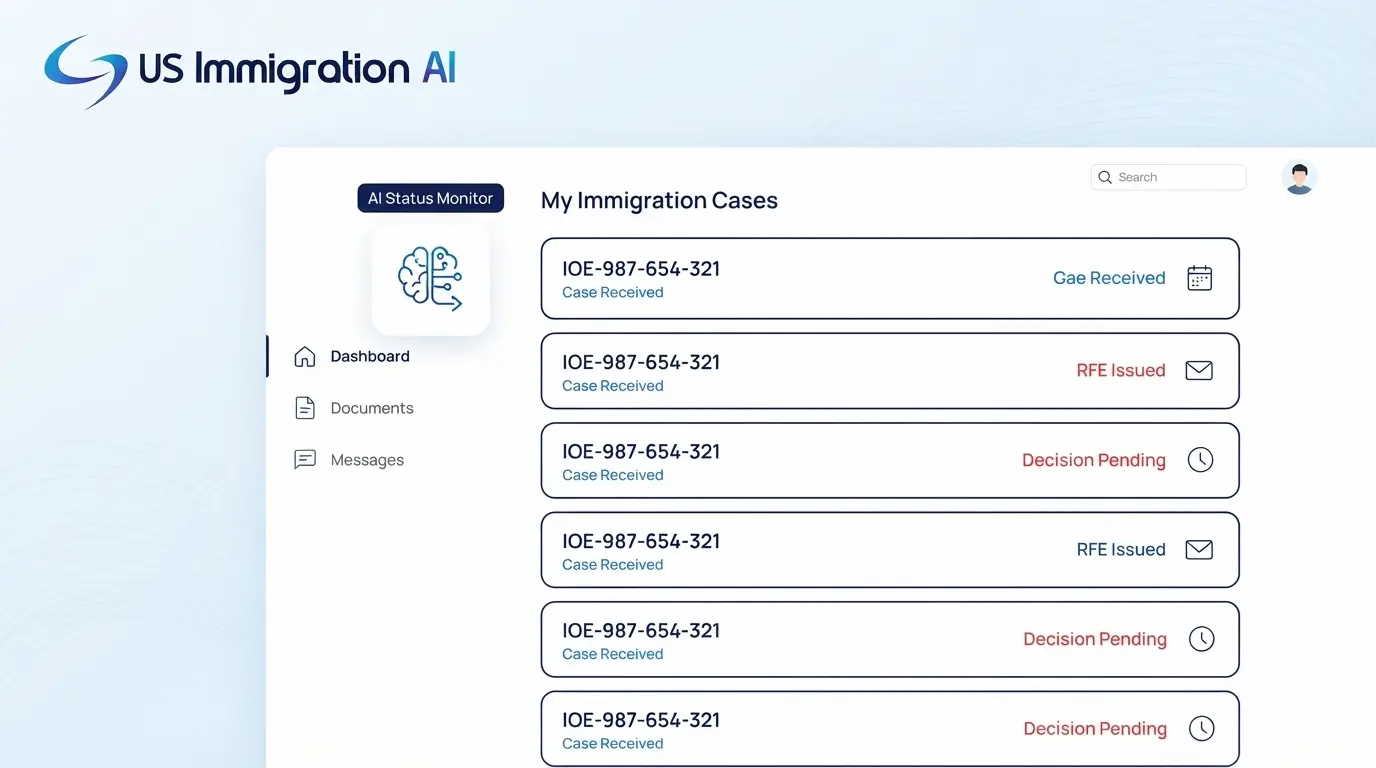

AI immigration case tracking software watches the USCIS receipt numbers in your caseload, logs every status change, and uses AI to read notices. Its quality depends on where it gets USCIS data, how often it refreshes, and what a person still has to confirm. This guide starts with the receipt number itself and works toward the harder questions: API access, automated lookups, linked accounts, notice reading, and review duties.
Key Takeaways
- A USCIS receipt number identifies one filing, so a client with several filings carries several numbers, and each number needs its own tracking.
- Case Status Online reports events, such as a notice being issued. What the notice asks for appears only in the notice.
- A tracker gets USCIS status from the official API, automated lookups of the public page, or uploaded notices. The route sets how current the status is.
- USCIS gives API access only to US-incorporated software organizations and accepts one receipt number per request. A vendor must pass sandbox testing, an affidavit, and a live demo first.
- AI can read and sort notices. A person confirms the output, and ABA Formal Opinion 512 and EOIR PM 25-40 keep that responsibility with the attorney.
What Case Tracking Software Does for an Immigration Firm
Case tracking software watches the filings in your caseload so staff do not have to check them one by one. A typical tool does four things:
- Keeps a list of the receipt numbers in your caseload.
- Checks each number against USCIS records.
- Logs every status change on the right client matter and alerts the person responsible.
- Messages the client, in better tools, so staff field fewer calls that start with "any news?"
Tracking is easy to confuse with docketing, and the two cover different ground.
Our guide to docketing software and deadline reminders covers the right-hand column. Everything in the left-hand column starts with the receipt number.
What a USCIS Receipt Number Is
USCIS describes the receipt number as a unique 13-character identifier it provides for each application or petition it receives (USCIS glossary). The basics fit in four points:
- It has 13 characters.
- It is three letters followed by ten numbers (USCIS stakeholder message).
- It appears on the I-797 receipt notice, and our firm guide to the I-797 notice of action lists what staff should capture from that notice.
- Each application or petition gets its own number.
The last point matters most for tracking. A client who files a green card application, a work permit request, and a travel document request holds three numbers that move at different speeds. Each one needs its own tracking.
What USCIS Shows and What It Leaves Out
Each of those numbers returns a short status when you look it up, and the notice behind the status holds the detail. Software has to handle both.
Status Line Versus Notice
USCIS says Case Status Online shows the latest case information, such as a notice issued, a response received, or a decision made (USCIS stakeholder message). That is a list of events, and the notice answers the questions the events leave open.
Our I-797 guide notes that USCIS calculates deadlines from the date printed on the notice, not the day staff open it. A tracker that reads only statuses will therefore miss the date that matters most, so it has to capture notices too.
Linking Paper Filings to an Attorney Account
Attorneys have a second source in an online USCIS account, but linking a paper filing to that account takes exact matching. A November 2024 USCIS Tech Talk sets out the rules, and page numbers below refer to that PDF:
- Legal representatives link paper cases one time when they create the account, and after that linking should happen automatically from G-28 data (p. 10).
- The G-28 must include the representative's online account number, first name, and last name, and they must match the account exactly (p. 12).
- A missing account number on the G-28 was the main reason paper cases did not link (p. 15).
- Only paper cases with an IOE receipt number can link to an online account (p. 16).
- An Account Acceptance Notice means the case linked to a new account because the G-28 did not match the representative's existing one (p. 10).
- Representatives do not receive case alerts, so they should use the Action Required filter to find cases with an RFE or NOID (p. 16).
The last point is where a tracker earns its keep, because it sends an alert to the right person. The session took place in late 2024, so check current USCIS guidance before building a process around it.
How Software Gets USCIS Status Data
Software that tracks those numbers and notices has to get the data from somewhere. It can reach USCIS in three ways, and many products combine them. The route sets how current and how dependable each status is.
The Official Case Status API
The first route is the official one. It has a short list of entry requirements, a staged approval path, and a quota.
Who Qualifies
USCIS's developer FAQ sets these conditions:
- The applicant is a software development organization incorporated within the United States.
- It offers Section 508 compliant apps and websites with a suitable privacy policy. It must post those policies publicly if it markets software to outside users.
- It does not need customers yet, but it must document its policies.
- Each developer registers an individual account, because sharing login credentials or API keys violates the Terms of Use.
The Path to Production Access
Access comes in stages. For USCIS APIs, the production access process and the FAQ describe five of them.
What the Demo Checks
The demo is a pass or fail review, so a vendor with production access has shown USCIS that its software does the following:
- Authenticates with OAuth 2.0 client credentials and stores keys, secrets, and tokens securely on its own servers, with client-side requests prohibited.
- Shows success and error responses from USCIS in the interface.
- Handles every documented response code and displays the error message.
- Presents case status updates from the API clearly to users.
- Runs in a staging environment with all personal information removed.
Limits That Remain After Approval
Approval does not remove the volume limit.
- The sandbox caps the Case Status API at 1,000 requests a day and five per second (API rate limits).
- USCIS says it shares production quotas once production access is granted, and the page does not publish them.
- The page also does not say what happens when a limit is exceeded or how a system should retry.
- The APIs accept single submissions only. A vendor's own system can accept batches, but each submission needs the correct ID, so 500 receipt numbers become 500 requests.
A vendor's refresh schedule cannot run faster than its quota allows.
Automated Lookups of the Public Page
The second route skips the approval process. A program enters receipt numbers into the public Case Status Online page and copies each answer back, which is often called scraping. Without an agreement with USCIS, this route works only while the page behaves the same way and accepts repeated requests. A tool built on it can be accurate one day and silent the next.
Uploaded Notices and Linked Accounts
The third route does not query USCIS live.
- Staff upload the I-797, and the software reads the receipt number and dates.
- The status on screen is only as current as the last upload.
- Some tools pair this route with a linked attorney account, which depends on the G-28 matching rules above.
What the AI Part Does With That Data
Whichever route supplies the data, AI tools then do a handful of specific jobs with it. Each job has a limit worth knowing before you rely on it.
All four jobs save staff time. When a tool and the USCIS record disagree, the USCIS record wins.
Rules That Apply When AI Touches Case Data
Those jobs touch client information and client messages, so the professional rules on AI apply to them. Two sources matter most for an immigration firm.
ABA Formal Opinion 512
ABA Formal Opinion 512, issued July 29, 2024, applies existing rules to generative AI tools.
EOIR Policy Memorandum PM 25-40
For matters before immigration courts, EOIR Policy Memorandum PM 25-40 took effect August 8, 2025. It says:
- EOIR has no blanket prohibition on generative AI.
- It sets no mandatory disclosure requirement, although individual adjudicators or courts may adopt their own rules on use and disclosure.
- Practitioners should confirm the accuracy of AI-assisted citations, research, and drafting.
- Filing hallucinated or erroneous content likely violates professional conduct obligations.
- In some circumstances, attorneys may need to consult clients about generative AI use.
A tracker that feeds dates into a filing deserves the same care. Our posts on attorney oversight of AI in immigration and immigration software data security cover the policy and security sides. For the daily routine, our guide to tracking status for every client covers named owners per case type, weekly batch checks, and escalation to a supervising attorney.
Questions to Ask Before You Choose Software
The routes and the rules above translate into a short list of demo questions, and Rule 5.3 makes asking them part of vetting a vendor. Sample cases hide the gaps, so test the tool with your own receipt numbers.
Four Cases to Test
- A client with several filings, to see whether each number tracks and alerts on its own.
- A paper-filed case, to see which route feeds it.
- A case with an RFE notice, to see whether the notice and its printed date are captured.
- A receipt number with one wrong character, to see how a failed lookup appears.
The Vendor Questions
The data-handling row is where a vendor's security page matters most. Our data security and compliance page explains how US Immigration AI encrypts client data and limits AI processing to defined workflows.
Grow Your Caseload With US Immigration AI
Tracking shows what happens after a filing, and the packet decides what gets filed in the first place. AI Case Assembly compiles a case's forms, evidence, and exhibits into one packet your attorney can review and file. It also flags missing items before the packet reaches the attorney. To see how it fits your intake and filing workflow, schedule a demo.
Frequently Asked Questions