
Simplify Document Management for Your Legal Team
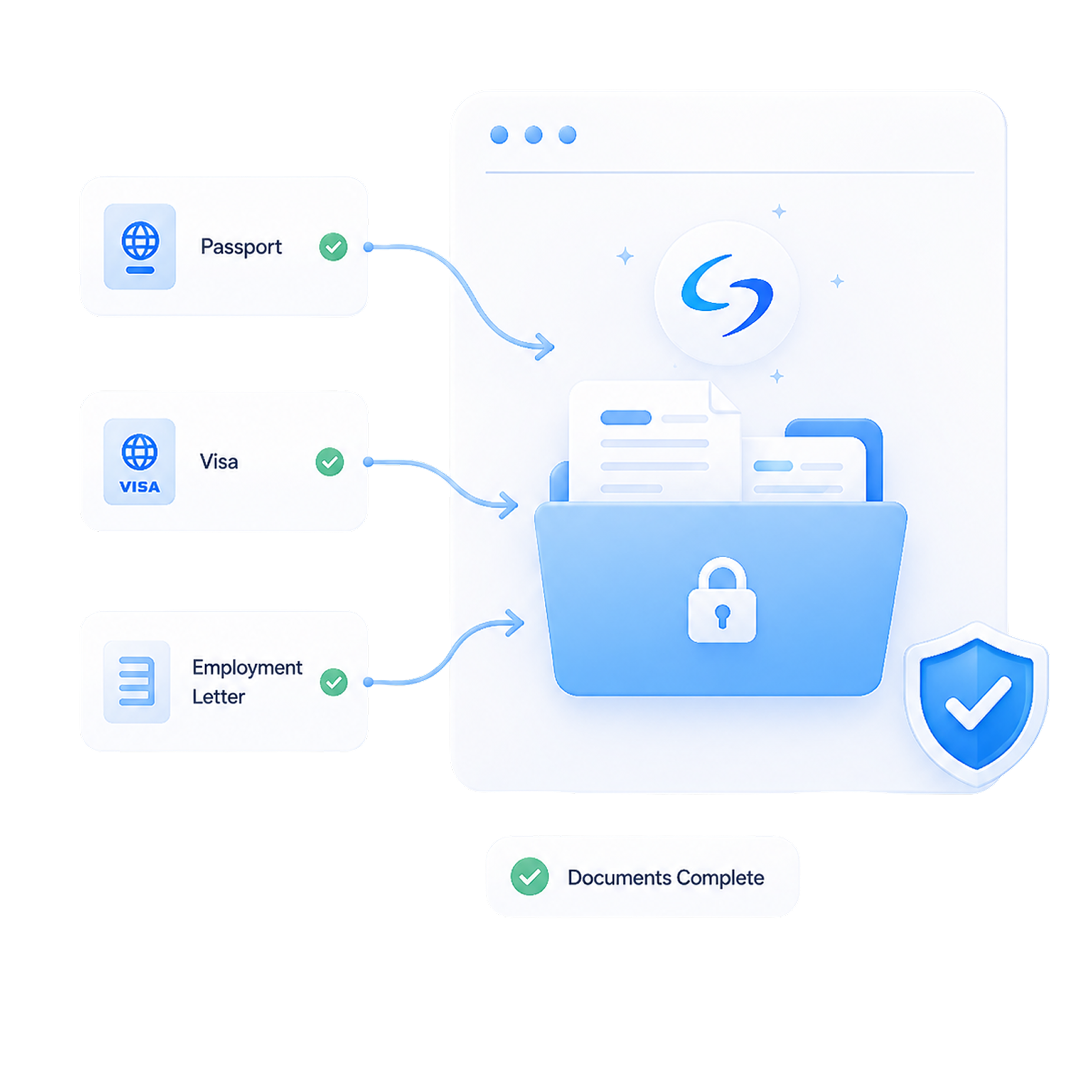
Managing a high volume of case files is time consuming and expensive. Deploying a modern portal cuts down on manual labor and keeps your files completely organized.
Reduce Manual Intake
Instantly request and track client documents without staff intervention. Your team can focus on complex legal strategies instead of administrative work.
Centralized Management
Organize uploads into neat folders automatically. Automation highlights issues right away so clerks can spot errors before review.
Improve Client Experience
Give applicants clear instructions they can follow easily. Clients can log into their dashboard 24/7 from any device.
Secure and Compliant
Protect sensitive personal records with modern protective code. Maintain total data security to satisfy professional law firm obligations.
How Our Client Portal Transforms Your Workflow
Intelligent Document Requests
AI identifies the specific documents each client needs based on case type and immigration requirements. Clients automatically receive clear upload instructions.


Secure Client Portal
Applicants log into a private, encrypted dashboard to upload their files safely. Firms maintain complete data privacy control while keeping all materials in one place.
Automated Reminders & Follow-Ups
Regular updates keep clients informed about missing paperwork. Attorneys can customize these schedules or let the platform handle messages automatically.

Document Verification and Organization
Smart tools scan incoming items to look for blanks or formatting issues. Your team reviews the organized files before moving them into the final package.
Automate Paperwork Gathering and Stop Email Chasing
Manual Requests
Email every single client by hand to ask for files.
Missed Follow-Ups
Reminders and pending files slip through the cracks.
Scattered Files
Documents land in random folders and email threads.
Missing Pages
Critical pages slip through and delay case prep.
Hours of Sorting
Staff manually sort and rename countless files
Automatic Requests
The portal requests the right files for each case automatically.
Automated Reminders
Clients get reminders until every file is in.
One Central Hub
Every file stays in one organized place
Instant Flags
Missing files are flagged automatically.
Auto-Organized
Files sort into attorney-ready folders automatically.
Documents the Platform Can Collect
Family-Based Petitions
Collect affidavits of support, passports, birth and marriage certificates, and relationship evidence from sponsors and beneficiaries.
Employment Visas
Gather employment verification letters, I-140 supporting documents, degree records, and contracts for corporate clients.
Nonimmigrant & Temporary Visas
Collect files for H-1B, O-1, F-1, and B-1/B-2 filings, including offer letters, financial proof, and travel records.
Green Card & Naturalization
Organize medical records, financial statements, tax history, and prior immigration forms inside one client profile.
Why Law Firms Choose a Secure Client Portal
Save Time on Repetitive Tasks
Reduce Errors and Increase Accuracy
Scale Without Hiring Additional Staff
Maintain Attorney Oversight
Integrate With Your Workflow
Maintain Strict Security and Confidentiality
Data Encryption
Scramble data during transit and at rest using advanced encryption protocols. Keep private client details secure from unauthorized access.
Secure Cloud Storage
Store sensitive documents in protected cloud environments with constant uptime. Access your firm materials safely from any location.
Compliance Standards
Maintain strict legal industry compliance guidelines across all active storage drives. Protect your firm from regulatory and privacy issues.
Access Control
Manage individual user permissions for staff members inside your central dashboard. Control exactly who can view sensitive case files.
Connected Immigration AI Services
AI Intake
AI Retainer
AI Legal Document Drafting
AI Case Assembly
Frequently Asked Questions (FAQ)
1. Is the client portal accessible on mobile devices?
2. How does the portal notify clients about missing documents?
3. Can we customize the document checklists for unique cases?
4. Is there a limit to the file size or types clients can upload?
5. Does the system check if an uploaded document is correct?
6. Can multiple users access the same client file?
Get Started with a Secure Client Portal
Change the way your law practice handles client paperwork today. Automate your document requests, protect sensitive data, and scale your operations efficiently.