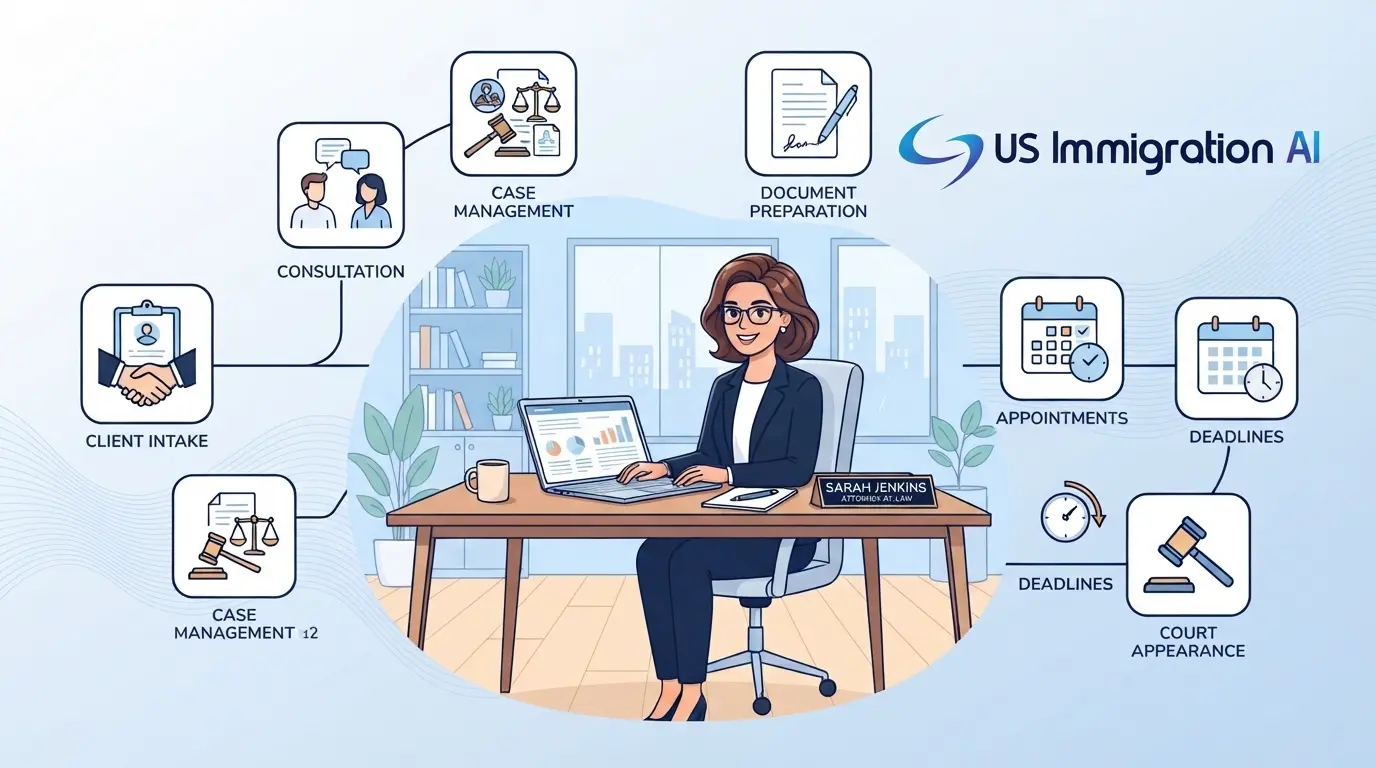

Running a modern law office can feel like being buried under an endless mountain of administrative tasks. Choosing the best workflow automation software for law firms helps you stop doing these repetitive tasks by hand.
We know that legal teams face massive pressure to move fast and save money today. Smart software fixes this issue by removing slow handoffs between your staff members.
Every law office handles paperwork differently, so you need a system that matches your specific daily caseload. Evaluating your options clearly ensures you do not waste money on tools you do not need. To help you choose the right system, this guide explores how automation works and breaks down the top tools on the market.
Defining the Digital Assembly Line
Instead of thinking of software as a simple digital folder, think of it as a smart assembly line for your casework. Legal workflow automation software is technology that turns repetitive law office tasks into automatic digital processes.
It connects different steps like client intake, document drafting, payment collection, and case tracking into a single smooth chain. Instead of copying and pasting information by hand, users can input data once and let the software update records instantly.
This type of software ensures your files move securely from one stage to the next without waiting for a manual click from a busy paralegal. It builds a reliable framework where data flows naturally to eliminate bottlenecks.
The Immediate Benefits of Making the Switch
When a firm adopts automation, the daily rhythm of the office shifts from chaotic tracking to organized management. It changes how you use your billable hours by letting computers handle non-legal administrative work.
Moving away from manual office processes provides several immediate benefits for a growing practice:
- Massive Time Savings: Tasks that used to take hours can now be completed in a few minutes.
- Fewer Administrative Errors: Data flows directly into forms without manual typing mistakes or typos.
- Better Client Tracking: Automated text alerts keep your clients informed without extra phone calls.
- Increased Firm Capacity: Saving time on paperwork gives your team more hours to focus on active clients.
A Quick Comparative Overview
Finding the right tool requires comparing features, target audiences, and specific system strengths before spending money. The following comparative overview gives you a birds-eye view of how the top systems stack up against each other.
This matrix serves as an objective reference sheet to help your leadership team narrow down their technology choices before scheduling software demonstrations.
Reviewing the Top Platforms
A simple chart only shows part of the picture. To find a true solution for your office bottlenecks, we must look deeper at how individual platforms operate.
We broke these tools down by category so you can find the exact technology match for your business model. Reviewing each platform helps you see which software fits your daily routine.
All-In-One Practice Management Systems
We will start with all-in-one systems because they serve as the foundational bedrock for a law firm's daily operations. These comprehensive platforms manage the entire lifecycle of a matter by combining case management, firm scheduling, time tracking, and corporate billing into a single centralized portal.
Choosing an all-in-one platform is best for firms that want to eliminate separate software subscriptions and keep their files organized inside one master database.
1. US Immigration AI
US Immigration AI is an automation platform built specifically for immigration law firms. It automates tasks across the case lifecycle from initial client intake to final case assembly. This system uses specialized form logic to help process applications faster.
Highlight: Provides true end-to-end automation specifically designed for USCIS application lifecycles.
Strengths:
- Includes a 24/7 digital receptionist to screen incoming visa leads automatically.
- Routes retainer money straight into trust accounts while keeping card fees separate.
- Extracts client data to fill out complex forms and organize submission packages.
Limitations: Built only for immigration law and does not support general litigation practices.
2. Clio Manage
This platform is a very common option for general practice law firms. It acts as a helpful central hub to track bills, calendars, and basic client notes.
Highlight: Features a massive integration ecosystem with over 250 connected legal apps.
Strengths:
- Centralizes office billing, trust accounting, and matter tracking smoothly.
- Allows firms to plug in external apps for matter-aware task generation.
- Provides stable cloud access for secure firm communication from any location.
Limitations: Built-in document features are basic and require add-on tools for complex forms.
3. Law Practice AI
Law Practice AI is an AI-powered platform that helps automate document work for plaintiff and personal injury firms. It offers an all-in-one system with built-in document automation for demand letters, case summaries, and document collection.
Highlight: Uses generative AI to draft evidence-backed demand letters and case summaries for injury firms.
Strengths:
- Purpose-built for plaintiff and personal injury operations.
- Automates demand letter generation with unlimited revisions allowed.
- Includes an AI legal assistant to help pull medical record summaries together fast.
Limitations: Focuses heavily on personal injury documents and does not suit general practice areas.
4. MyCase
A simple practice management tool built to help small legal teams get organized fast without complex technical setup. The clean web interface allows users to communicate safely with clients and track bills in one central spot.
Highlight: Simple web interface that teams can learn to navigate in just one afternoon.
Strengths:
- Offers strong data import tools to move your old files quickly.
- Features a built-in client portal to share invoices and chat with clients safely.
- Sends automatic payment reminders to reduce late account balances.
Limitations: The workflow choices are rigid and hard to modify for complex, multi-stage cases.
5. Smokeball
This is a desktop-cloud hybrid system made for law practices that handle a massive amount of repetitive paperwork every day. It provides deep integration with Microsoft Office apps to help document-heavy practices stay consistent.
Highlight: Automatically tracks active drafting time and links the data directly to client invoices.
Strengths:
- Features an AutoTime engine that records time spent on emails and documents silently.
- Provides an extensive library of over 20,000 automated legal forms.
- Helps small practices see exactly which cases leak billable hours.
Limitations: Requires a local Windows installation to access the full feature set.
6. Filevine
A customizable platform designed around the specific needs of trial lawyers who handle big lawsuits. It coordinates large sets of case data and evidence to keep litigation teams fully organized.
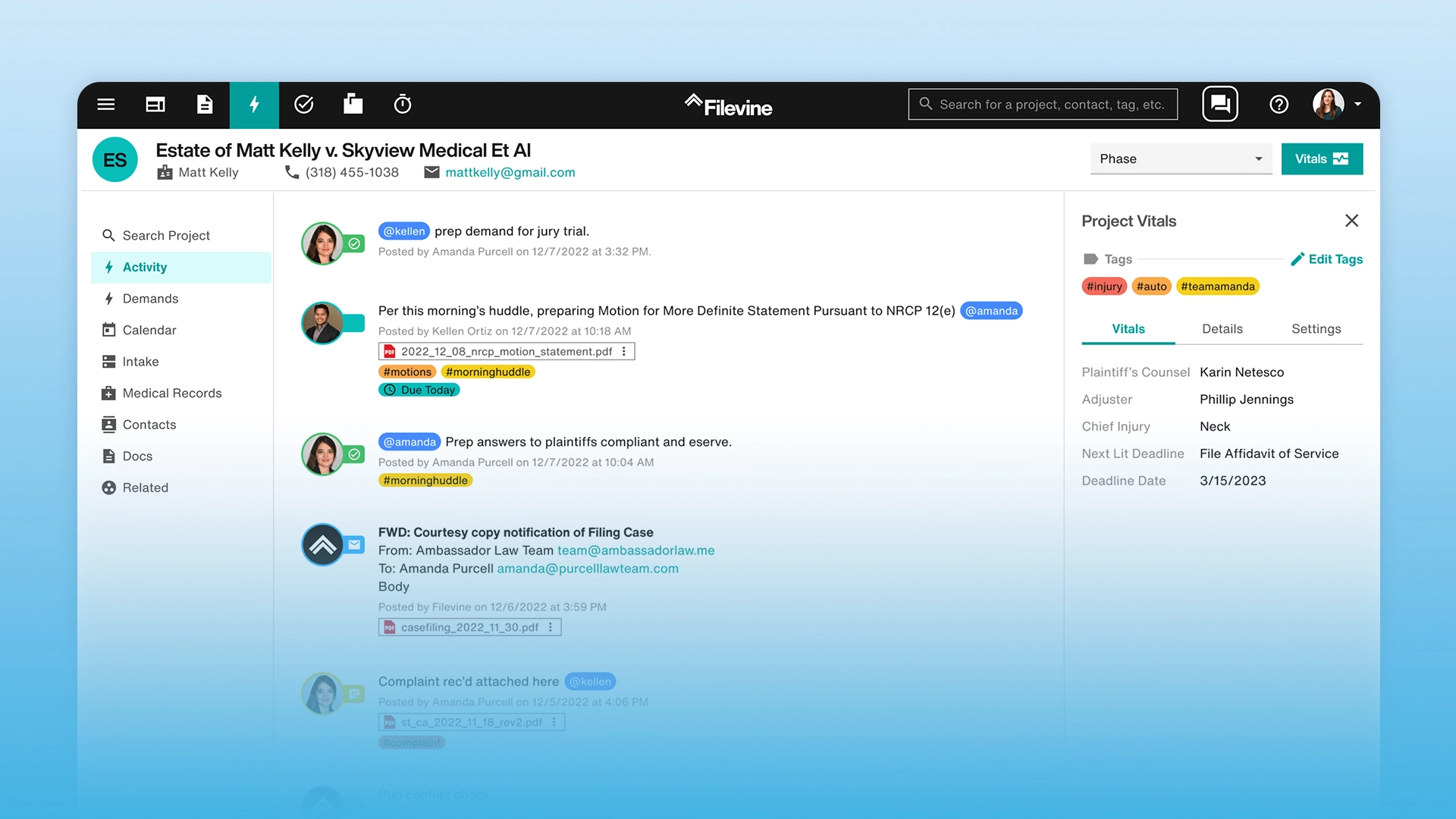
Highlight: Uses phase-based litigation taskflows to keep high-stakes lawsuits on schedule.
Strengths:
- Assigns staff tasks automatically as cases move through trial stages.
- Tracks tight court deadlines to prevent expensive calendar errors.
- Handles large sets of evidence for personal injury and mass tort cases well.
Limitations: Takes a long time to configure and customize during initial setup.
7. Actionstep
This software is for growing mid-market firms that want total control over their internal office steps. Its adaptive layout allows partners to configure multi-office pipelines without complex IT hurdles.
Highlight: Features a visual, no-code workflow builder that enforces strict process governance.
Strengths:
- Stops staff from skipping mandatory compliance or safety steps.
- Ensures junior staff members cannot advance a file without required approvals.
- Handles high case volumes across multiple state offices easily.
Limitations: The strict rules can slow down fast, simple cases that need quick flexibility.
8. Lawcus
A modern practice tool that uses simple visual boards to help lawyers track their daily case progress. The setup combines core sales pipeline tracking with automated task assignments to keep files moving smoothly.
Highlight: Uses intuitive drag-and-drop kanban pipelines to visualize matter stages.
Strengths:
- Combines customer relationship features with automated task triggers.
- Sends automatic email reminders and invoice alerts to your clients based on case stages.
- Helps small teams see which active cases are currently waiting for payments.
Limitations: Document features are light and rely heavily on external connections.
Dedicated Document Automation Engines
Sometimes a full practice management suite causes too much disruption for an established office team. If your primary administrative bottleneck is simply typing up complex paperwork, long contracts, or custom state court forms, you should look at dedicated document engines instead.
These platforms specialize exclusively in turning static documents into dynamic templates, allowing staff to generate massive stacks of customized filings with minimal typing.
9. Gavel
A dedicated document assembly engine that turns your everyday files into smart, interactive questionnaires. It allows small law practices to gather data online and build complex forms instantly without writing any code.
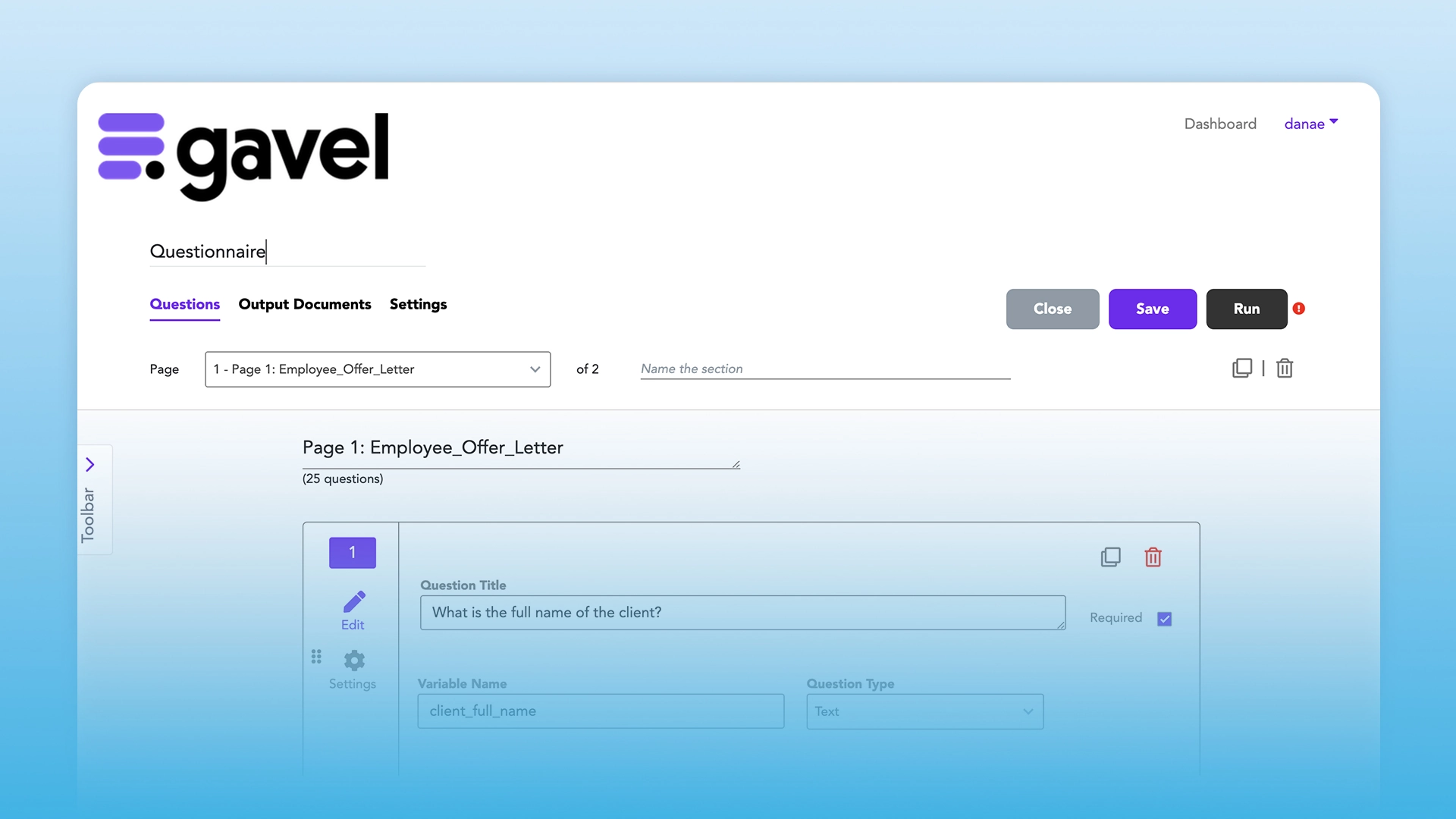
Highlight: Lets firms build their own reusable client questionnaires without knowing how to code.
Strengths:
- Automates Word and PDF templates using advanced conditional logic.
- Builds complete document sets instantly when clients answer questions online.
- Speeds up contract creation by using pre-made text blocks.
Limitations: It is not a full practice system and does not handle billing or trust accounting.
10. NetDocuments (PatternBuilder MAX)
A secure cloud document system that lets large firms use AI tools safely inside their own workspace. The underlying platform keeps sensitive matter text contained to eliminate the risk of public web leaks.
Highlight: Combines enterprise document management and secure automation in one platform.
Strengths:
- Keeps data locked down tightly inside your own secure document repository.
- Allows teams to build custom apps without the risk of exporting files to third-party servers.
- Integrates natively with Microsoft 365 tools and Outlook.
Limitations: The enterprise price point is less accessible for smaller law offices.
11. Clio Draft
A focused solution for court forms. It offers a massive, up-to-date library of state-specific forms that auto-fill using your existing matter data.
Highlight: Provides a large online library of up-to-date court forms for all U.S. states.
Strengths:
- Connects directly to your main Clio files to pull names and dates instantly.
- Eliminates the tedious manual labor of researching local court form variations.
- Includes simple built-in e-signatures for gathered client records.
Limitations: Firms must have an active Clio Manage account to get the full benefits.
12. HotDocs
A mature batch-processing document engine built to generate massive sets of paperwork for global organizations. It processes deeply nested logic rules to output thousands of pages with strict data precision.
Highlight: Capable of processing thousands of complex documents simultaneously without manual steps.
Strengths:
- Handles advanced, nested conditional logic for heavily regulated industries.
- Provides total template control and stable clause management across deep databases.
- Maintains consistent accuracy across massive, corporate document packages.
Limitations: The user interface looks dated and requires technical expertise to configure.
Specialized Enterprise Automation Engines
Small firms often thrive on simple out-of-the-box tools, but larger practices and corporate legal departments face complex data challenges. These enterprise systems handle high-volume data routing, connect split software applications, and provide deep contract analysis across multiple business units.
They are designed for legal operations teams that need to bridge the gap between legacy databases and modern artificial intelligence tools.
13. Ironclad
The leading platform for contract lifecycle management. It helps corporate groups manage business agreements from start to finish.
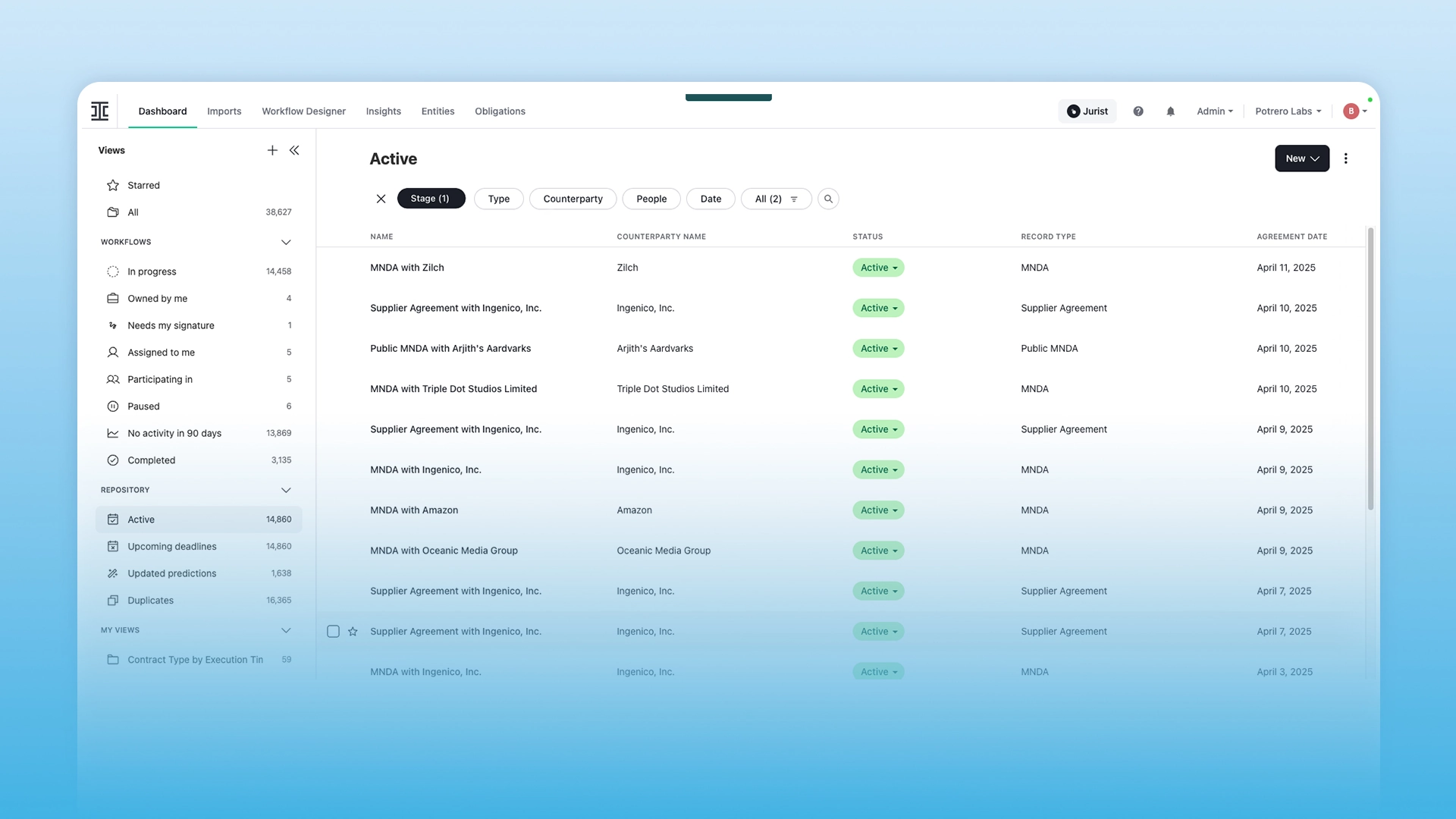
Highlight: Features a visual Workflow Designer to map multi-stage contract approval chains.
Strengths:
- Tracks corporate contracts automatically after they are signed to prevent missed renewals.
- Uses AI tools to search old clauses and identify negotiation trends fast.
- Allows business stakeholders to self-serve routine contracts safely within firm rules.
Limitations: Built only for corporate contracts and will not help with court lawsuits.
14. LEGALFLY
An AI software tool built to review and edit business contracts natively inside your current office apps. It functions straight inside Microsoft 365 to run playbook-driven risk checks automatically.
Highlight: Operates directly inside Microsoft 365 to handle playbook-driven contract review.
Strengths:
- Highlights risky text and missing terms before your team signs an agreement.
- Performs substantive legal analysis while protecting corporate records.
- Anonymizes sensitive client data deep within the system code before any AI check happens.
Limitations: Focuses only on document text and lacks case tools like intake or billing.
15. Briefpoint
A specialized AI tool designed to eliminate the manual typing associated with the court discovery process. It automatically extracts pleading text to draft responses and interrogatories in seconds.
Highlight: Generates complete discovery documents from a single pleading document upload.
Strengths:
- Automates the time-intensive process of drafting and responding to discovery requests.
- Turns plain text client answers into formal, court-compliant replies in seconds.
- Suggests appropriate discovery objections using the firm's preferred wording.
Limitations: Focuses entirely on discovery paperwork and cannot handle general document creation.
16. Caddi
An API-driven middleware solution built to link your different software tools together behind the scenes. It acts as invisible plumbing to keep client and financial databases in sync across distant firm branches.
Highlight: Connects your independent legacy software tools without disrupting current operations.
Strengths:
- Stops your tech stack from breaking when an individual app gets an update.
- Ensures consistent background execution of tasks like conflict checks and pre-bills.
- Prevents messy data sync errors across large, split office branches.
Limitations: Runs entirely as background middleware and does not offer a separate user screen.
17. Streamline AI
A legal intake platform designed to stop communication chaos between corporate legal teams and business units. It triages unstructured emails into sorted data files to show the precise financial value of internal operations.
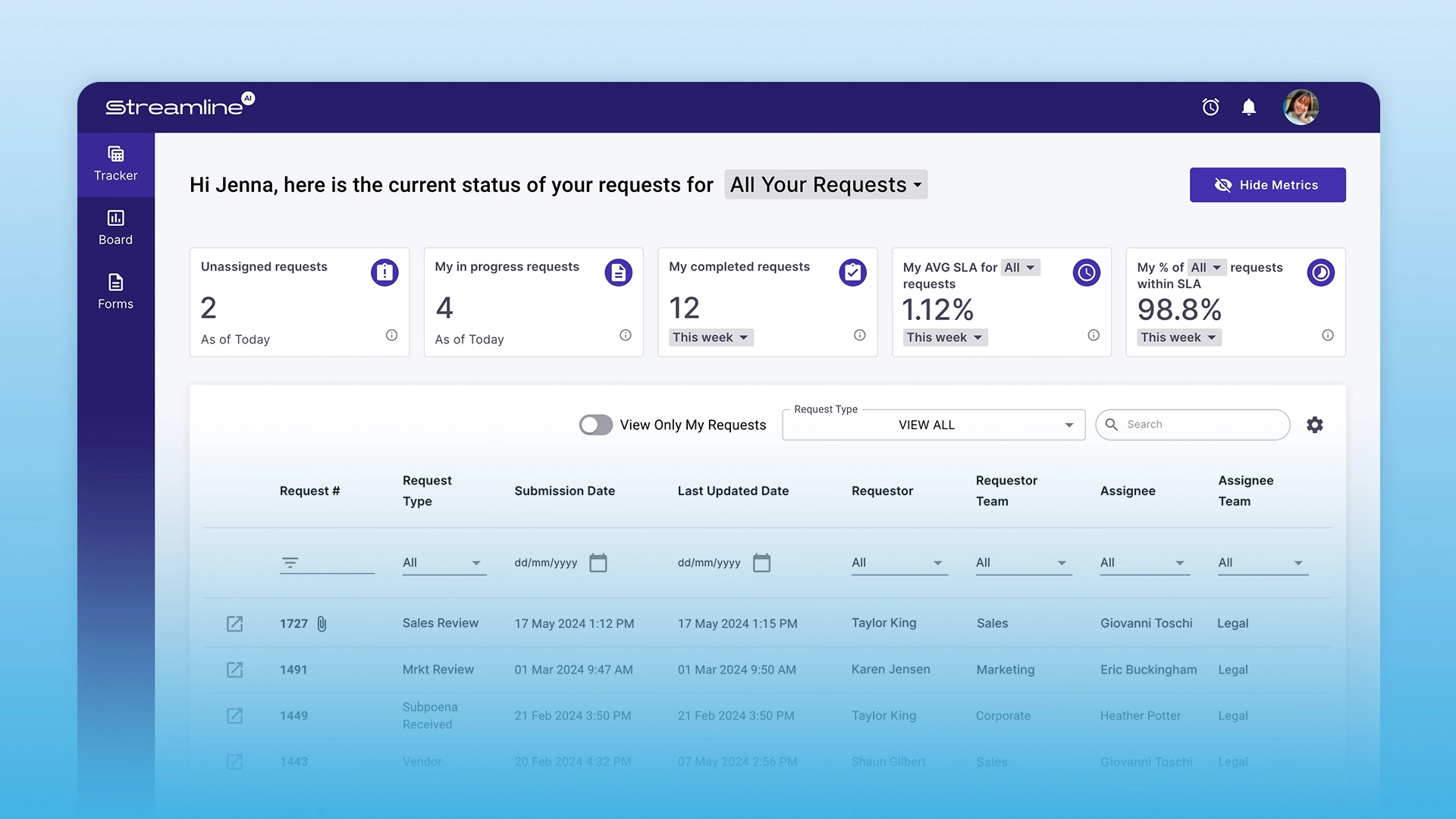
Highlight: Features an AI-powered email intake system that converts raw messages into sorted files.
Strengths:
- Replaces messy email chains with a clean, digital request dashboard.
- Reads unorganized messages and routes them to the correct lawyer automatically.
- Helps corporate legal departments track and demonstrate their exact business value.
Limitations: Optimized for company teams and lacks client billing or trust account tools.
Honorable Mention: Legora
Before we look at our buying checklist, one unique platform deserves special mention due to its advanced engineering style. Legora stands out in the legal tech market because it uses an agentic approach to manage law office workflows.
The software relies on independent reasoning loops to complete multi-step tasks across different apps. It is an excellent fit for modern firms that want to build completely automated legal pipelines from the ground up.
Why This Technology Matters Today
Looking at all the options on the market shows that legal technology is shifting from basic record-keeping to proactive task execution. Understanding the market forces behind this shift helps you build a practice that can survive changing client demands.
Embracing these systems protects your business from administrative errors, staff burnout, and rising overhead costs.
What Is Driving Adoption
- Smart Document Review: Modern software can read text and find compliance risks automatically. It suggests redlines based on your specific firm standards to save you time.
- Remote Work Needs: Distributed legal teams need a single cloud space to keep cases moving from any location. Cloud tools help your remote staff stay on the same page without messy email chains.
- Changing Rules: Growing compliance laws require clear, tracked workflows to stop simple processing mistakes. Keeping up with updates by hand is too risky for a busy firm.
The Real Business Impact
- Fewer Bad Mistakes: Automation stops manual typing errors by moving data between forms cleanly. This ensures your client files stay accurate from the start.
- Better Client Tracking: Automated alerts keep your clients happy without requiring manual phone calls from your staff. Clients get text or email updates instantly whenever a case stage changes.
- More Firm Capacity: Firms using these systems save hours of non-billable time. This efficiency lets you take more cases and increase your active case volume without raising your costs.
Standards to Keep in Mind Before Buying
Understanding the industry shift helps you build a logical software checklist for your next partner meeting. You must look past marketing promises and focus on core technical capabilities to protect your practice data.
As you begin reviewing specific vendors, keep these four vital technical standards in mind to ensure a safe integration.
- Link Depth: Ensure the software connects directly to your core files. Weak links can break and corrupt your data.
- Setup Speed: Pick simple designs that fit your team's current habits. Complex tools often fail because staff members refuse to use them.
- Bank Safety: The software must protect client money. Check that it routes retainers directly to trust accounts while keeping business fees separate.
- Audit History: Choose systems that log every single change made to a file. This keeps your firm ready for formal audits.
Frequently Asked Questions
Even with a detailed checklist, changing your office systems can raise a few practical worries about implementation and costs. Managing partners often worry about staff training or data security during a tech transition.
Here are direct answers to the most common questions legal operations leaders ask before installing new workflow software.
Final Thoughts
Once you clear up those practical worries, the big picture for your practice becomes completely clear. Legal workflow automation has moved from a helpful secondary asset to a strict operational standard for modern law firms. Moving your data flows away from manual tracking gives your legal team the space to complete valuable strategic work.
Still, software is only part of the equation, as managing these systems requires reliable oversight. Having the right tool ensures your firm scales smoothly while keeping errors low.