
Smokeball pricing is not published for US firms, so what a firm pays depends on a written quote. The quote rests on the plan, user count, contract term and add-ons, and Smokeball's US pricing page shows no fixed dollar figures. That makes it harder for small to mid-sized immigration firms and solo attorneys to judge fit before talking to sales.
This guide separates public figures from quote-based details and reviews plan features, payment fees and integrations. It compares Smokeball with US Immigration AI. It also explains where immigration work may require add-ons or custom setup.
Sources checked: November 18, 2026.
Key Takeaways
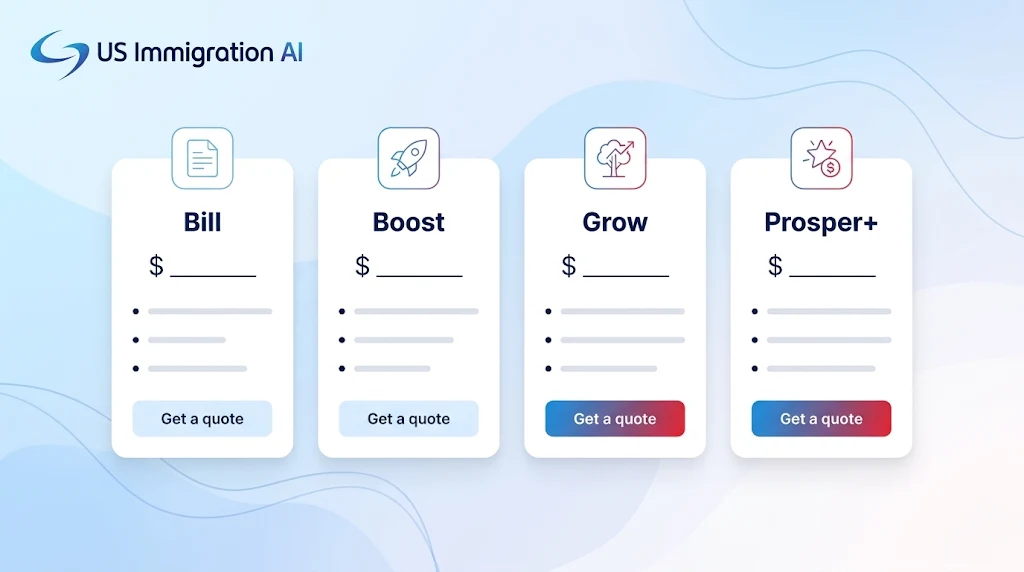
- Smokeball's US pricing page lists four plans (Bill, Boost, Grow and Prosper+) with a "Get pricing" button and no dollar figures.
- Third-party sites quote different prices because they come from different markets and dates. None of them replaces a quote.
- Card payments through Smokeball Payments carry a percentage fee, so a $2,000 retainer can cost $58.20 or more to collect.
- AutoTime, the automatic time tracking feature, is included on Prosper+ and sold as an add-on on Grow.
- Smokeball's plan pages do not list immigration among their practice areas, so ask which USCIS forms and templates are included.
Smokeball Pricing Overview
Four plans make up the lineup: Bill, Boost, Grow and Prosper+. According to the company, cost depends on users, plan, contract term and optional products, with no limit on users.
Prices found elsewhere differ because the sources cover different countries and dates. Capterra and Software Advice list Bill at $49 and Boost at $89 per user per month, with Grow and Prosper+ as custom quotes. Smokeball's Australian page lists higher figures, shown below.
Built for immigration firms, US Immigration AI is compared with Smokeball in a later section on intake, document handling and USCIS forms. That comparison lets a firm weigh a quote against what an immigration practice needs.
What Smokeball Handles
As a legal practice management platform, Smokeball is meant to improve operational efficiency by keeping a firm's matters, documents, time, and billing in one system. Its plans cover case management, trust accounting, invoicing, client intake management, task tracking, a client portal, and eSignature, though these core tools are functional rather than exceptional, and the plan table below shows which tier adds each one.
Document automation starts on Grow, which adds practice area templates and automated forms. Smokeball's homepage says it integrates closely with Microsoft Word and Outlook for document management, and its form library describes over 20,000 legal forms and document templates; the plan page lists that integration from Boost upward.
Smokeball organizes matters with templates for over 250 practice areas and matter types, but the form library page does not mention USCIS forms, and the pricing page lists eight practice areas without immigration. Ask whether the plan includes:
- USCIS form templates, such as the I-130 or I-485, built for immigration rather than adapted from another practice area
- Exhibit lists and packet assembly for evidence-heavy filings
- Intake that sorts case types and collects documents from applicants
Smokeball Plan Features
Each tier stacks on the one below it, adding features. AutoTime, Smokeball's automatic time tracking tool, is covered under Billable Hours and Automatic Time Tracking.
Image 2: plans table (smokeball-pricing-by-plan.jpg). Alt text: Table of four Smokeball plans showing the features each adds over the plan below
Core Features Included
Grow is positioned for firms of three or more staff. The comparison table marks "fees apply" for email marketing, eFiling, online payments and trust management, so confirm which of those fees your tier carries.
Advanced Features
Boost includes Communicate, a messaging tool powered by Smokeball AI. Prosper+ adds firm insights, staff activity and profitability reports, and inquiry and advanced matter intake, while Smokeball's document automation supports over 250 matter types. Custom workflows and templates are built into Prosper+ and sold as an add-on on Grow.
Intake is an add-on on Boost and Grow, and Prosper+ includes it. Smokeball says client information entered through Intake flows straight into the system to create a new matter, so staff avoid manual entry.
On the Australian page, Intake is $29 on Boost and $59 on Grow, and AutoTime is $39 on Grow. Those figures are not US prices, but they show that add-ons raise the monthly total. User reviews also commonly report high satisfaction with Smokeball's document automation features.
Billable Hours and Automatic Time Tracking
Time that is never recorded never reaches an invoice, which is why AutoTime matters for revenue.
How AutoTime Captures Billable Time with Automatic Time Tracking
AutoTime turns recorded activity into time entries without a timer. It reads activity across matter administration, events, documents, emails, Communicate, memos, RingCentral calls and tasks. Each night, it generates entries from the previous day's activity, and a lawyer can also run it by hand from the home screen.
Entries are not billed on their own. A lawyer can edit the date, description, duration, rate and amount of a pending entry before an invoice is created. AutoTime skips closed matters, leads and activity with no duration.
Check two details. Smokeball's support article says New Outlook logs a one-minute entry whenever an email is viewed for ten seconds. Reopening a message can therefore add time. A July 2026 Software Advice review also says automatic time tracking can occasionally be inconsistent and require manual corrections.
Estimating Recovered Revenue
Two claims come from Smokeball itself. The company says its software lets firms bill at least two more hours a day on average. Its AutoTime page says users bill 10 to 30 percent more and that invoices go out faster. Neither claim comes with data.
Context comes from a 2021 ABA article quoting Smokeball president Ruchie Chadha. She says lawyers bill an average of 2.1 hours a day, citing unnamed studies. Suppose, as an illustration only, that each attorney recovers 30 minutes a day. At 220 working days and $250 an hour, that is 0.5 x 220 x $250, or $27,500 a year.
Replace those numbers with your own rate and a recovery figure you can defend. If the result is smaller than the yearly AutoTime or Prosper+ cost for the same users, the feature does not pay for itself.
Automatic Tracking Versus Manual Timers
Manual timers cost nothing extra and keep the lawyer in control. They depend on someone remembering to start and stop the clock, which is hard on a day of short calls and emails. Automatic tracking captures that scattered work, and the lawyer reviews it afterward.
For immigration firms, the value depends on how matters are billed. Firms that charge hourly gain the most. Those that sell flat-fee applications may use time entries to see which matter types take the most hours rather than to send invoices.
Smokeball Payments and Additional Fees
Processing Rates
Payments run through Smokeball Payments, the built-in card and bank payment tool. A Smokeball help article lists these rates. Non-AMEX cards cost 2.9 percent plus $0.20, AMEX cards 3.5 percent plus $0.20, and ACH bank transfers 0.8 percent capped at $8. The article names no country, so ask for the US rates in the quote.
Image 3: payment fees example (smokeball-payment-fees-example.jpg). Alt text: Bar chart of card, AMEX and ACH fees on a $2,000 payment: $58.20, $70.20 and $8.00
Retainer and E-Signature Charges
Both trust and operating payments run through it, so a card retainer carries the rates above. State rules govern what goes into trust.
New Hampshire's Rule 1.15(c) requires advance fees to be deposited "into a client trust account." The lawyer may withdraw them "only as fees are earned or expenses incurred." Check your own state's rule before choosing how clients pay a retainer.
E-signature, which the plan table lists as unlimited with InfoTrack, and eFiling can also carry charges. Ask for both in the quote.
Integration Costs
According to a Digital Project Manager review updated October 31, 2026, Smokeball integrates with Microsoft Word, Outlook, QuickBooks Online, LawPay, InfoTrack, Dropbox, Xero and Zoom. The same review lists limited accounting integration as a drawback and says integrations outside legal tools feel limited.
Trust accounting and invoicing are built into Smokeball, and Bill lists accounting integrations. A firm that needs full business accounting should expect to connect a tool such as QuickBooks Online, which Software Advice lists as the most-reviewed integration. Test the connection early, and ask whether any connector fees apply.
Court-rule deadlines come through LawToolBox, a separate deadline calculation tool that Smokeball connects to. Smokeball's support article labels it available on Grow and Prosper+ and says rule sets come with a LawToolBox subscription. Ask whether it covers the immigration court rules your cases need.
The Total Cost of Smokeball
Monthly cost is users times the per-user rate for the plan, plus add-ons, plus payment fees. Annual costs also include migration, training and any price change at renewal. Below, third-party Capterra and Software Advice rates for Bill and Boost are applied to different user counts.
These figures leave out add-ons, payment fees and higher tiers. Smokeball says migration costs are confirmed in the quote. Training is offered through live sessions, guided resources and Smokeball Academy. G2's AI-generated summary calls the team responsive, friendly and knowledgeable.
Older pages on Gappsy and Law Firm Software Guide described 12 or 36-month terms. Smokeball's current page states no term, so ask for contract length and renewal pricing in writing. To compare quotes, divide the all-in monthly cost by new matters opened. A hypothetical $1,000 total across 20 new matters is $50 per matter.
Image 4: cost worksheet (law-firm-software-cost-worksheet.jpg). Alt text: Cost worksheet with fields for users, monthly rate, term, add-ons, card fees and migration
Smokeball Pricing for Immigration Law Firms
A solo immigration attorney can run on Bill or Boost in a browser. Document automation and automated forms begin on Grow, which Smokeball aims at larger teams. Anyone in that position should ask whether Grow is available at one user and at what price.
Small teams get more from Grow or Prosper+. Staff activity reports, profitability reports and custom workflows sit on Prosper+, while Grow reaches the same features through add-ons. Price both routes for your headcount, and ask the demo to show the reports and dashboards on your own matter data.
Matter type changes the fit. Family-based cases usually repeat the same forms and supporting documents across many clients, so template depth matters most. Employment-based cases are evidence-heavy, with exhibits, support letters and employer documents to organize. Ask whether FamilyPro, an add-on on Grow and Prosper+, applies to family-based immigration matters.
Smokeball Compared With Immigration Automation Platforms
Practice management is Smokeball's job. US Immigration AI automates the work inside an immigration case, so the two answer different problems.
Case Assembly does not file with USCIS, and an attorney reviews every packet. The platform also includes AI Legal Document Drafting, an immigration client portal and AI Retainer. For a wider view of the category, see our guide to the best immigration case management software.
Strengths and Limitations of Smokeball Pricing
Hourly billers who want trust accounting, Word drafting and invoices in one system instead of several get the most from the higher price. Automatic time capture helps most when lawyers work across many short tasks and forget to log them.
Native document and correspondence automation is listed as a pro in a Digital Project Manager review. The review rates Smokeball 4.8 out of 5 and names no document automation drawbacks.
Limits matter most for immigration practices:
- Immigration is not among the listed practice areas, so templates may need custom work.
- Custom workflows and templates sit on Prosper+ or a Grow add-on, which raises the cost of customization.
- Card retainers carry a processing fee.
- The product may be a weaker fit for firms that rely on third-party integrations, especially beyond legal tools.
Questions to Ask Before Buying Smokeball
Ask for every answer in writing. These questions cover what this guide could not confirm:
- Can you send a written quote that itemizes the plan, each user, add-ons and one-time fees?
- What is the contract term, and what are the renewal terms, including any price increase?
- Which US processing rates apply to cards and ACH under Smokeball Payments?
- Are USCIS forms and immigration templates included, and in which plan?
- What does migration cost, and what help do you provide?
- Can I export my data, in what format, and at what cost if I leave?
- Which add-ons do I need to match the features I saw in the demo?
Is Smokeball Worth the Price?
Pricing out Smokeball makes sense when a firm bills by the hour and wants trust accounting and Word drafting in one place. Match the plan to the firm's complexity. A solo attorney may need only Boost, while a team that relies on custom workflows will probably need Prosper+.
Estimate productivity savings with your own numbers. Count hours of administrative work the software removes each month and the billable hours AutoTime recovers, then subtract the all-in monthly cost. If the result is thin, the plan is probably more than the firm needs.
Firms whose main bottleneck is intake, USCIS forms and case packets may need broader immigration automation than a general practice tool offers. A personalized demo of US Immigration AI shows how those tasks run on your own case types, and you can schedule one here.
Grow Your Caseload With US Immigration AI
Immigration law firms can use US Immigration AI to handle intake, assemble case packets and collect documents. Schedule a demo to see it on your case types.
FAQ
US Immigration AI is a technology platform for licensed law firms and does not provide legal advice.