Set Once, Sent Automatically

Custom Client Reminder Schedules

Set the sequence, timing, and wording of every reminder once, and US Immigration AI sends them automatically across signature and document follow-ups, so no one on your team is typing the same chase-up email twice.

Document Collection

Build the Exact Follow-Up Sequence a Missing File Needs

Chasing a missing document usually takes more than one message. These controls, part of the AI Document Collection Portal, let your firm design the full sequence, not just a single reminder

Multi-Channel Sequencing

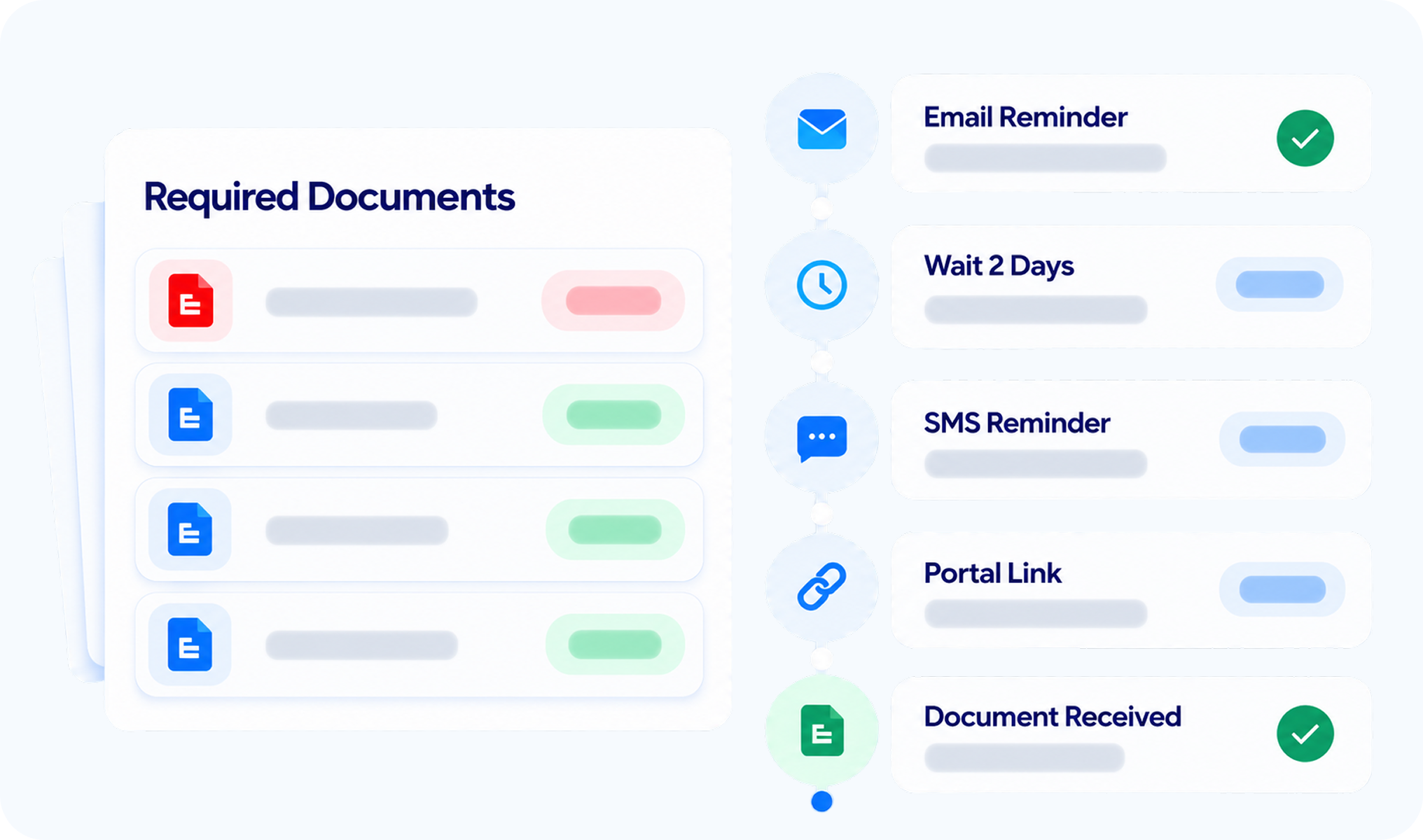
Set the exact order a reminder sequence follows, for example email first, then a text, then a portal link, instead of sending every follow-up through the same channel. Order the steps to match how your clients actually respond.

Time-Based Logic

Set the exact wait time between each step, for example wait two days, send a text, wait one more day, then send an email. Build a sequence that escalates on your schedule instead of firing reminders at random intervals.

Template Personalization

Set the exact order a reminder sequence follows, for example email first, then a text, then a portal link, instead of sending every follow-up through the same channel. Order the steps to match how your clients actually respond.

Triggered by What's Still Missing

Reminders start because a required document is actually outstanding, not on a blind timer running whether or not it's needed. The system tracks what's still missing for each client and fires the sequence from there.

Retainer Follow-Up

Control How the System Chases an Unsigned Agreement

An unsigned retainer needs a different kind of pressure than a missing document. These controls, part of AI Retainer, set how insistent your firm's follow-up is, and let it adjust as a client responds.

Reminder Timing and Pause

Aggressiveness Setting

Adaptive Follow-Up

Automatic Stop on Signature

Across Both Workflows

Reminders That Respect When Clients Actually Want to Hear From You

Some rules should apply no matter which workflow triggers the reminder. These controls set the boundaries every sequence, signature or document, has to work inside.

01

Contact Hour Limits

Set the earliest and latest hour a reminder is allowed to go out, for example no earlier than 8:00 AM and no later than 6:00 PM. Anything that would fire outside that window waits for the next open hour instead of sending late.
8:00 AM
6:00 PM

02

Weekday-Only Outreach

Turn off outreach for specific days, keeping every reminder inside the standard workweek and off client phones on Saturday and Sunday. The rule applies the same way whether a signature or a document triggered the sequence.
Mon - Fri Only

03

Contact Hour Limits

Set the earliest and latest hour a reminder is allowed to go out, for example no earlier than 8:00 AM and no later than 6:00 PM. Anything that would fire outside that window waits for the next open hour instead of sending late.
US Federal calendar
Control When Every Reminder Goes Out
Set your hours, days, and holiday limits once, then let every sequence follow them. Signature and document reminders both stay inside your rules.
In the Field

How a Sequence Plays Out in Real Cases

Those three sets of controls come together differently depending on what a client still owes your firm. Here's what a sequence actually looks like once it's running, across two of the workflows it covers.

Case 01

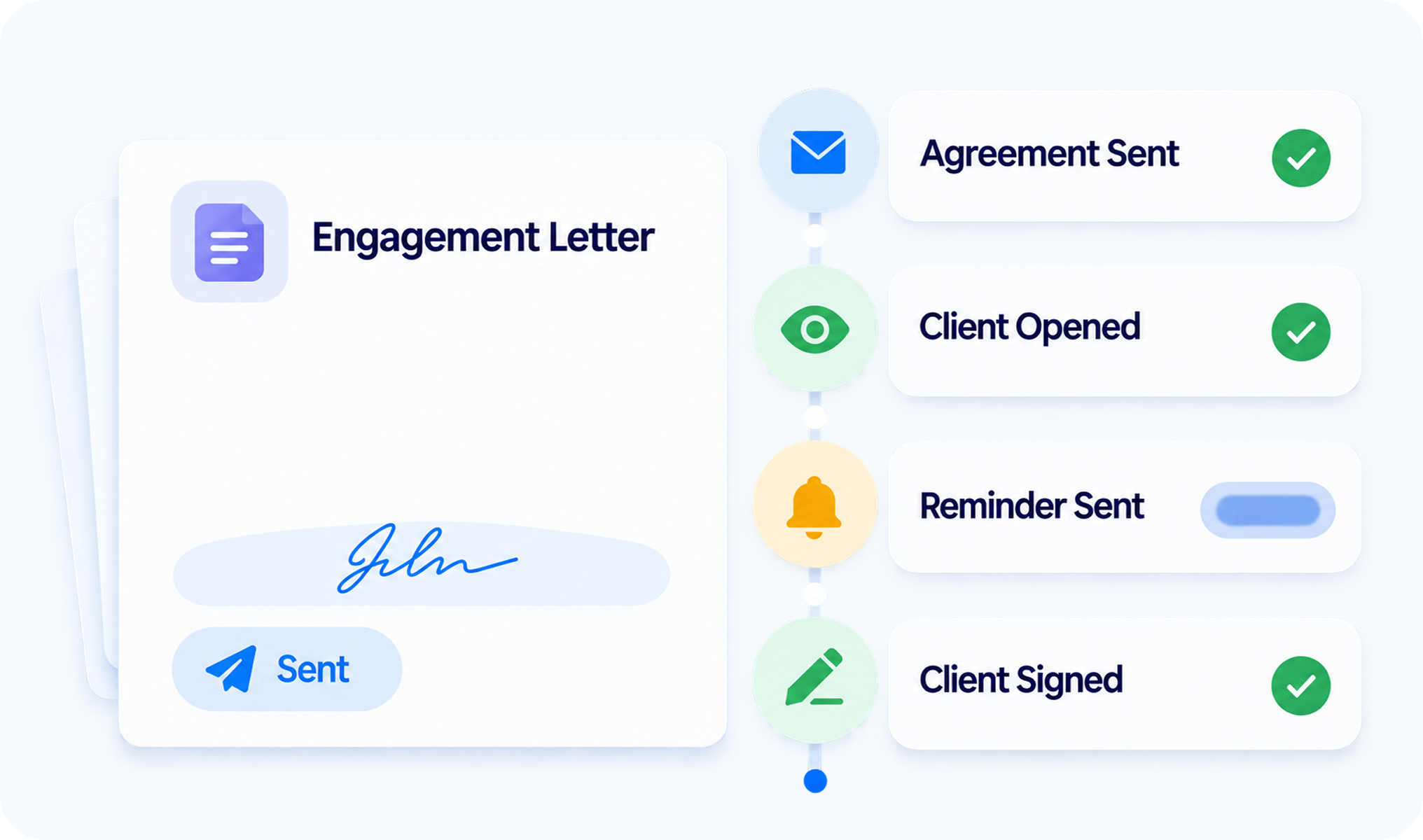
Chasing a Signature

An unopened engagement letter automatically starts the retainer sequence, timed to how quickly that client usually responds.

Case 02

Chasing a Missing Document

A missing birth certificate on the portal checklist automatically starts the document sequence, escalating across channels until it's resolved.

Before and After

Manual Reminders vs. Custom Client Reminder Schedules

Run those same two scenarios by hand, and every decision above falls back on a staff member's memory. A schedule replaces that judgment call entirely once it's set. Here's the difference it makes.
  • Staff decide the channel and timing for each follow-up

  • Every client gets the same generic message

  • Someone has to remember not to text a client at 9 PM or on a holiday

  • Follow-up pace stays the same no matter how a client responds

Manual Reminders

Custom Client Reminder Schedules

  • Channel order and wait times run on their own once set

  • Message wording is customized per sequence

  • Contact hour, weekday, and holiday rules apply automatically

  • Aggressiveness adjusts based on how a client actually responds

Frequently Asked Questions (FAQ)

Can I control the order and channel of each reminder step?

Can I make sure reminders don't go out outside business hours or on weekends?

Can I set exact wait times between reminders?

Does the system avoid sending reminders on holidays?

Can I customize the wording of reminder messages?

Does the system adjust automatically based on how a client responds?

Do reminders only go out if something is actually missing?

Stop Chasing Clients by Hand
Design the sequence once, set the boundaries around when it can reach a client, and let it run across every signature and document follow-up your firm sends.