

Kier reviewed 7 Clio alternatives against vendor pricing pages, help centers and product documentation in October 2026.
The best Clio alternative depends on where your staff lose the most hours. For full case automation, start with US Immigration AI. If you want to keep Clio and add immigration forms beside it, start with Docketwise.
Clio already handles calendars, time entries and billing, so the real question is where USCIS forms, client documents and filing fees should live. US Immigration AI publishes this guide and lists itself first. Every other entry uses facts from the vendor's own materials and named independent sources.
The 7 Clio Alternatives in Brief
- US Immigration AI, best for full case automation from intake to a filing-ready packet.
- Docketwise, best for keeping Clio and adding immigration forms and USCIS tracking.
- LollyLaw, best for portal updates in the client's own language.
- INSZoom, best for corporate clients and cases outside the U.S.
- eIMMIGRATION, best for a documented, paid import of Clio data.
- CampLegal, best for two-plan pricing with no per-case fees.
- MyCase, best for mixed-practice firms that want one general system.
Why Look for a Clio Alternative?
Clio is general practice management software. It runs matters, calendars, time entries and billing across practice areas from family law to litigation. Immigration work adds five demands on top of that:
- Forms change on USCIS's schedule. On September 15, 2026, USCIS began rejecting older editions of Forms I-539 and I-765 with no grace period. Drexel University's summary of the USCIS alert lays out the dates.
- Evidence lists change by case type, such as marriage certificates for a family petition or degree records for an employment case.
- The same client details repeat across many forms in one packet, so a typo in one form creates a mismatch with the next.
- Filing fees go to USCIS on the client's behalf, alongside your own legal fees.
- The final packet needs cover sheets, an exhibit index and page numbers that match.
You do not always need to replace Clio to meet these demands. An add-on can cover some of them, which is why the list below includes tools that sit beside Clio.
How I Evaluated These Clio Alternatives
I checked each tool on this list against one reference case, a marriage-based family petition with Forms I-130 and I-485. That case touches intake, a retainer, a document list, several USCIS forms and a final packet. You can reuse the same case when you run your own trials.
For each product, I read its pricing page, help center articles and product pages, checked as of October 2026. For LollyLaw I also used its G2 listing. No hands-on trials were part of this review. Where a vendor's materials do not describe a feature, the entry says so instead of guessing.
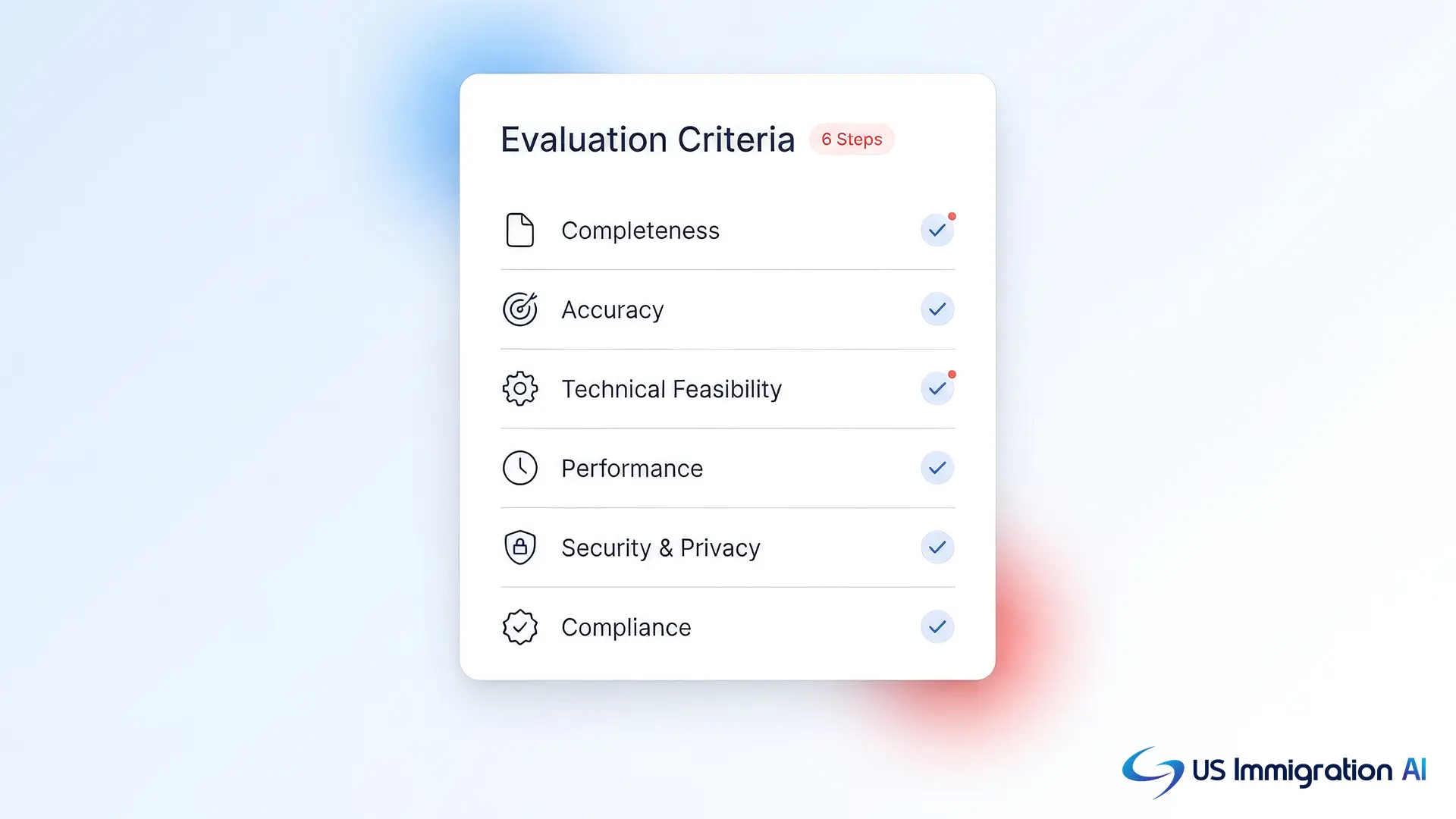
I included tools that prepare USCIS forms or connect to a tool that does. The comparison used six criteria:
- USCIS form coverage and how forms stay current when editions change.
- Document collection from clients, including reminders.
- USCIS case status and Visa Bulletin alerts after filing.
- Billing and trust accounting, or a clear handoff back to Clio.
- Published pricing, the pricing model and the plan that includes each feature.
- How you move off Clio, from a sync to a paid data import.
Clio Alternatives at a Glance
The table below sums up the seven tools. Prices are per user per month on annual billing unless the row says otherwise, as of October 2026.
1. Best Clio Alternative for Full Case Automation
What Is US Immigration AI?
US Immigration AI is an AI automation platform for licensed immigration law firms. It runs a case from first contact to a filing-ready packet, and a licensed attorney reviews every file before submission. Intake answers feed the retainer, the document requests, the forms and the final assembly, so you enter a client's details once.
Why I picked it: it fills forms from intake data inside one system, which removes the retyping between systems that the reference case exposes.
Ideal for: immigration firms whose staff spend most of their hours on intake, document chasing and form preparation.
US Immigration AI Features
- AI intake and retainer agreements that start the case record.
- A client document portal for document collection.
- Form drafting and case assembly for the filing-ready packet.
- AI Payment Collection, which routes retainer money into trust accounts and handles USCIS fee payments.
Pricing: $97 per application, or $997 per month for the all-in-one plan.
2. Best Clio Companion for Immigration Forms
What Is Docketwise?
Docketwise is immigration case management software founded in 2016 and operated by 8am. It is listed in Clio's app directory.
Why I picked it: its help center describes a two-way sync with Clio, so you can keep Clio for billing.
Ideal for: immigration-only firms that want to keep Clio for billing and add a forms and tracking tool beside it.
Docketwise Features
- A sync that covers contacts and matters in both directions, according to its help center.
- Automatic USCIS receipt checks that alert the staff assigned to the matter.
- Visa Bulletin updates, included from the Basic plan.
- A client portal where staff can share a receipt's status.
Docketwise Pros, Cons and Pricing
Pros:
- New contacts and matters appear in both systems, so staff do not create them twice.
- Status checks come with the lowest plan.
Cons:
- Forms, evidence and notes stay in Docketwise, so your team works in two systems if you keep Clio.
- Per-user pricing adds up quickly as you hire.
Pricing: Basic $80, Pro $100 and Advanced $120 per user per month billed yearly, or $90, $120 and $140 billed monthly. A free trial is available.
3. Best Clio Alternative for Multilingual Clients
What Is LollyLaw?
LollyLaw has served immigration practices since 2014, and Paradigm acquired it in April 2022. Its case management page cites more than 125 USCIS, DOJ and EOIR forms.
Why I picked it: its Client Bridge portal shares case updates in the client's language.
Ideal for: firms with many multilingual clients who want a portal that explains progress without a translator.
LollyLaw Features
- Workflows that create tasks and milestones by case type.
- Priority dates that sync with the Visa Bulletin charts and trigger alerts 7 to 180 days ahead, according to its own article.
- Expiry date alerts by email or in-app.
LollyLaw Pros, Cons and Pricing
Pros:
- Client updates in the client's language through Client Bridge.
- G2 shows 4.5 out of 5 from 119 reviews, as of August 15, 2026.
Cons:
- Its published materials do not describe an automatic USCIS receipt lookup, so ask to see one in a demo.
- No published pricing, so you need a quote to compare costs.
Pricing: not published. LollyLaw offers a 7-day free trial with no credit card.
4. Best Clio Alternative for Corporate and Global Immigration
What Is INSZoom?
INSZoom is Mitratech's immigration case management product, used by solo practitioners through Fortune 500 companies, according to Mitratech. It covers U.S., Canadian and other international case processing in one view.
Why I picked it: it covers international case processing alongside U.S. cases.
Ideal for: firms with corporate clients or cases outside the U.S., such as Canadian and other international filings.
INSZoom Features
- E-filing of USCIS and DOL forms, with automated deadline and expiration alerts.
- An HR portal in the Enterprise tier, so corporate contacts can follow their employees' cases.
- Integrations with QuickBooks Online, LawPay and Authorize.net.
INSZoom Pros, Cons and Pricing
Pros:
- Global coverage beyond U.S. immigration.
- Payment and accounting integrations for firms that bill through those tools.
Cons:
- No published pricing or free trial; Mitratech asks you to request a demo.
- Setup takes 2 to 5 business days, with more time for data migration, according to Mitratech.
Pricing: not published on Mitratech's site.
5. Best Clio Alternative With a Paid Data Import
What Is eIMMIGRATION?
eIMMIGRATION, from Cerenade, includes all 300+ immigration forms from USCIS, DOL and DOS on every plan. Its pricing page lists Clio as a supported source for its $1,000 Standard Import.
Why I picked it: its pricing page names Clio as an import source.
Ideal for: firms that want to choose features plan by plan and need a documented path for importing Clio data.
eIMMIGRATION Features
- A client portal where clients can check case status and upload documents.
- AI translation of forms into 13 languages.
- AI Workmates that summarize and extract information.
eIMMIGRATION Pros, Cons and Pricing
Pros:
- The largest stated form library on this list, updated when agencies change forms.
- Case status lookup is standard on all plans.
Cons:
- E-filing, billing and trust accounting, and the USCIS and Visa Bulletin tracker are premium features. Starter includes one premium feature and Essentials four, and each extra costs $15 per user per month.
- The Clio import is a one-time paid service.
Pricing: Starter $55, Essentials $82 and Complete $100 per user per month billed annually, or $60, $90 and $110 billed monthly.
6. Best Clio Alternative for Simple Two-Plan Pricing
What Is CampLegal?
CampLegal was founded in 2017 in Philadelphia and serves only U.S. immigration law firms, from solo practitioners to firms with more than 50 attorneys. Its pricing page says onboarding includes data migration from almost any software, though it does not name Clio.
Why I picked it: it publishes two plans and states there are no per-case fees.
Ideal for: small and mid-sized immigration firms that want low per-user pricing and multilingual templates.
CampLegal Features
- Client data captured once flows into USCIS forms.
- Custom workflows with milestones.
- Multilingual templates in 18 languages and custom intake questionnaires on the Essentials plan.
CampLegal Pros, Cons and Pricing
Pros:
- Both plans include current USCIS forms.
- Integrations with LawPay, QuickBooks Online, Google Workspace and Microsoft 365.
Cons:
- USCIS and Visa Bulletin monitoring, e-filing and the ClientApp portal require the Pro plan.
- Its pricing page does not clearly show which plan includes trust accounting.
Pricing: Essentials $69 and Pro $89 per user per month billed yearly, or $79 and $99 billed monthly. CampLegal states there are no per-case fees.
7. Best Clio Alternative for Mixed-Practice Firms
What Is MyCase?
MyCase is a general practice system like Clio, so it replaces Clio instead of sitting beside it. Its Immigration Add-On, powered by Docketwise, was announced in October 2024.
Why I picked it: it puts immigration forms inside a general practice system, so one tool covers billing, calendars and immigration.
Ideal for: mixed-practice firms where immigration is one practice area among several.
MyCase Features
- Smart forms, USCIS case tracking and priority date tracking through the add-on.
- E-filing to USCIS, DOL FLAG and DOS CEAC from inside MyCase.
- A client portal for sharing and receiving documents without email.
- Client form completion in 12 languages, according to MyCase.
MyCase Pros, Cons and Pricing
Pros:
- One general system for billing, calendars and immigration forms.
- Clients use one portal for immigration and any other matters you handle for them.
Cons:
- The add-on's price is not published.
- Moving from one general system to another is a full migration of billing, calendars and matters.
Pricing: Basic $50, Pro $100 and Advanced $130 per user per month billed annually, or $60, $120 and $150 monthly. These figures come from MyCase's June 2026 help article. The Immigration Add-On costs extra.
How to Choose the Best Clio Alternative
Before you compare tools, follow one of your own cases from intake to packet. Mark every point where staff retype data or switch systems. Each handoff costs hours that no price list shows.
Then answer three questions:
- Which task takes your staff the most hours: intake, document collection, forms or assembly?
- Do you want to keep Clio for billing, or replace it?
- Does your firm handle only immigration, or several practice areas?
How to Compare Costs Across These Tools
Two pricing models run through this list, so your monthly cost depends on headcount and caseload. Per-user pricing grows when you hire, while per-application pricing grows with your case count.
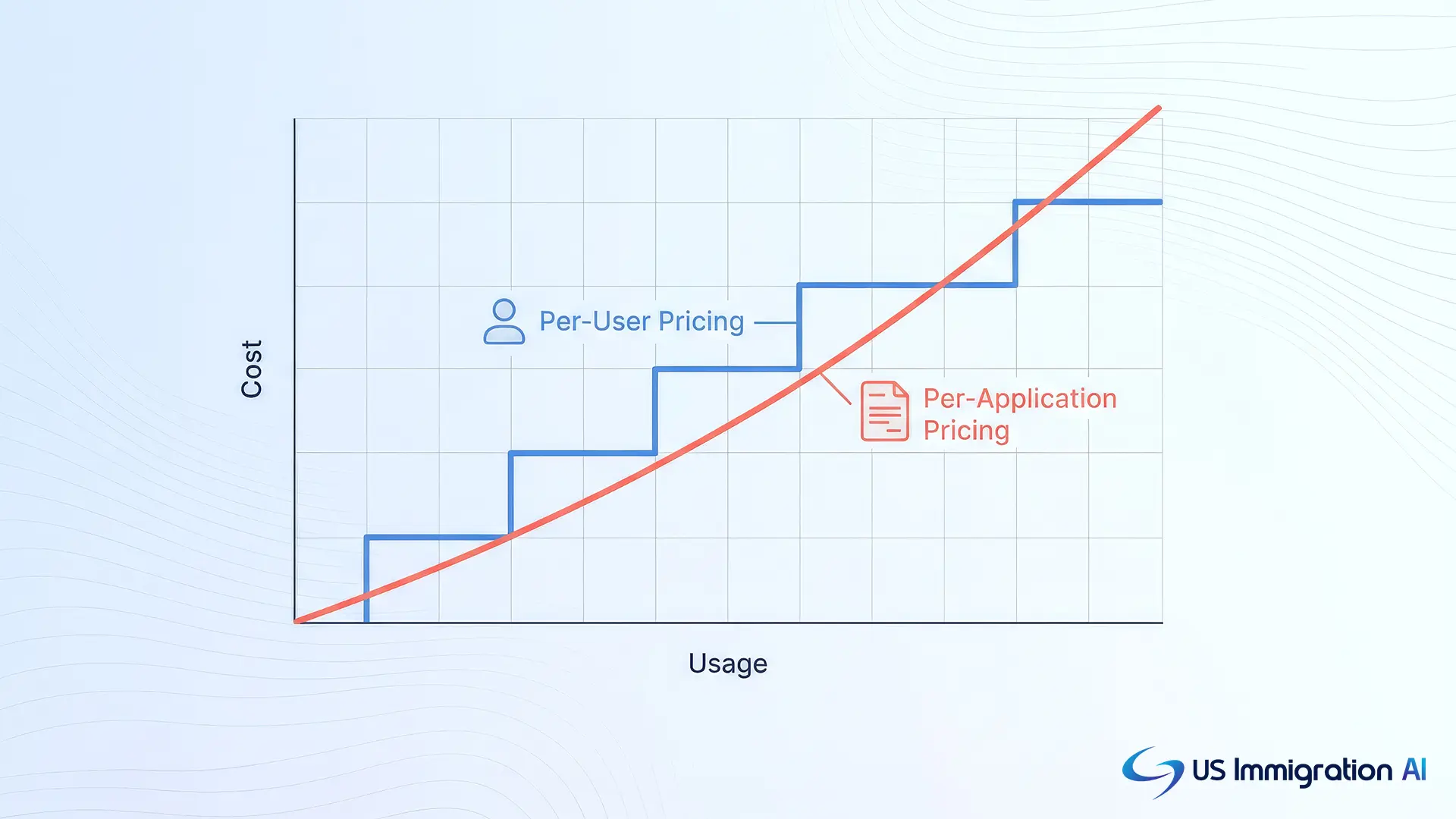
On US Immigration AI, ten applications a month cost $970 on the per-application plan, while eleven cost $1,067. From eleven applications a month, the $997 monthly plan costs less. To compare any tool with your current setup, add up three numbers for a typical month:
- Every per-user subscription your staff holds, across Clio and any add-ons.
- The number of applications your firm files.
- Staff hours spent on form entry, document chasing and packet assembly, multiplied by their hourly cost.
Ethics Checks Before You Switch
Before any switch, check two ABA sources that apply to how a firm picks and uses software. First comes ABA Formal Opinion 512 (July 29, 2024), the ABA's first ethics guidance on generative AI. According to the ABA's announcement, lawyers should understand the benefits and risks of the technology they use, protect client confidentiality, and charge reasonable fees.
Second, ABA Model Rule 1.15 covers client money. It requires you to keep client funds separate from your own and to hold advance fees in a trust account until they are earned. Your state's version of the rule may differ, so check it before you plan the move.
How to Move From Clio Without Losing Records
Those duties shape the move itself. A migration from Clio is mostly a records project. It goes best when you treat trust balances and open cases as the two things that cannot slip.
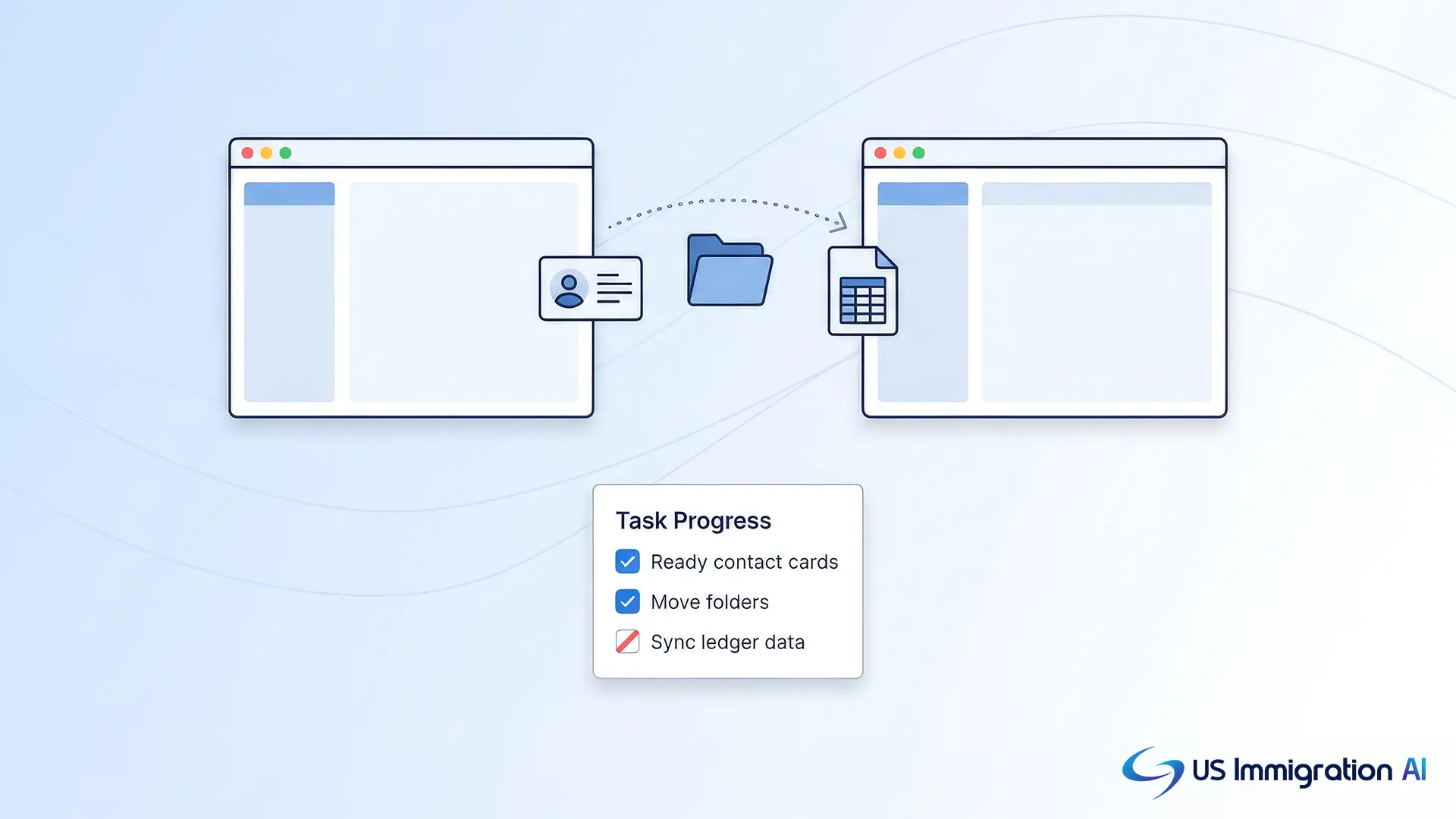
- Export your data. Clio's help center lists CSV exports for contacts, matters, notes, tasks, calendar entries, communications, time entries and expenses. Only an administrator can run them in bulk, and documents are a separate step.
- Reconcile trust balances first. Clio's help center tells you to generate the trust management report before exporting. Save the reconciled report and keep a copy outside both systems.
- Pilot with one live case. Run your reference case through the new tool from intake to packet before you move anything else.
- Run both systems for one billing cycle. Keep Clio open while new cases start in the new tool, then close old matters in Clio as they finish.
- Confirm data security. Ask the new vendor how client data is encrypted and who can open it. US Immigration AI publishes its approach on its data security page.
Which Clio Alternative Should You Choose?
The right tool depends on your caseload and practice mix. Each block below matches a tool to the firm it fits.
Choose US Immigration AI If You
- Spend most staff hours on intake, documents and forms.
- File more than about ten applications a month.
Choose Docketwise If You
- Want to keep Clio for billing and calendars.
- Want automatic USCIS receipt checks.
Choose LollyLaw If You
- Serve many clients who prefer updates in another language.
- Track priority dates against the Visa Bulletin.
Choose INSZoom If You
- Handle corporate clients or cases outside the U.S.
- Can request a demo to get pricing.
Choose eIMMIGRATION If You
- Want a documented, paid import of your Clio data.
- Want to add premium features one at a time.
Choose CampLegal If You
- Run a small or mid-sized immigration-only firm.
- Want two plans and no per-case fees.
Choose MyCase If You
- Practice in several areas and want one system.
- Can migrate billing, calendars and matters.
The US Immigration AI guide to the best immigration case management software compares immigration-specific options by firm size.
Where Does US Immigration AI Fit Among These Clio Alternatives?
US Immigration AI sits at the case work end of this list. It covers intake, retainers, document collection, form drafting and case assembly, and a licensed attorney reviews every file before submission. Firms that want Clio for time entries and general billing can keep it and move the case work to the platform.
If staff hours per case are your bottleneck, book a consultation to walk through one of your own case types.
Frequently Asked Questions